Roland DG Mobile Panel 21.50
Publisher Description
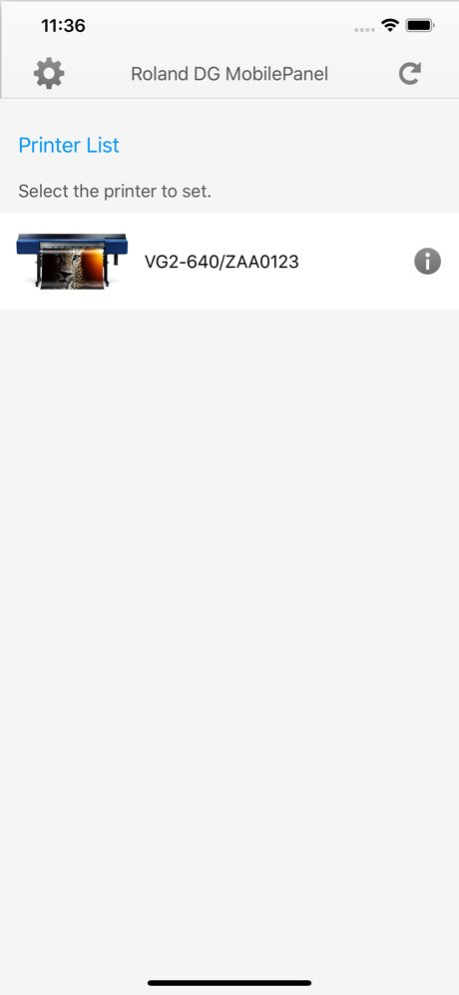


Remote Control Your Production with Smart New Tech
In addition to a built-in control panel, a new Roland DG Mobile Panel allows you to perform control panel functions of the printer/cutters with your existing iPhone or iPad(*1) using a Bluetooth connection.
This innovative new feature provides a rich interface directly on, or remotely in range of, your printer. Receive status updates as well as remotely manage production, test printing, and cleaning functions.
(*1)Refer to the corresponding device list.
CAUTION
Note the following points when using this application.
1:Roland DG Mobile Panel must be turn on bluetooth on your iPhone/iPad.
2:This application uses Bluetooth to communicate with the printer, but there is no need to pair your terminal and the printer. If you have performed pairing, release the pairing, and then start this application.
---
Corresponding Printer
- VG2-640/540 (Firm:Ver1.10 or later)
- VG-640/540 (Firm:Ver4.00 or later)
- SG2-640/540/300 (Firm:Ver1.10 or later)
- SG-540/300(Firm:Ver4.00 or later)
- VF2-640/540(Firm:Ver1.00 or later)
Version History Supported VF2-640/5400(Firm:Ver1.00 or later) 1.50 06/08/2020 Supported SG-540/300(Firm:Ver4.00 or later) 1.4.0 03/31/2020 Supported SG2-640/540/300 (Firm:Ver1.10 or later) 1.3.0 10/08/2019 Supported VG-640/540 (Firm:Ver4.00 or later) 1.2.0 09/12/2019 ・Bug fix
・UI Improvements 1.1.1 04/09/2019 Supported French, German, Italian, Spanish (Europe, Latin American) 1.1.0 03/24/2019 ・Fixed bug that "DamperCleaning" can not be executed
・Fixed translation bug
・Add VG2-540 image 1.0.1 03/10/2019 1.0 03/04/2019
About Roland DG Mobile Panel 2
The company that develops Roland DG Mobile Panel 2 is Roland DG Corporation. The latest version released by its developer is 1.50.
To install Roland DG Mobile Panel 2 on your iOS device, just click the green Continue To App button above to start the installation process. The app is listed on our website since 2026-10-13 and was downloaded 1 times. We have already checked if the download link is safe, however for your own protection we recommend that you scan the downloaded app with your antivirus. Your antivirus may detect the Roland DG Mobile Panel 2 as malware if the download link is broken.
How to install Roland DG Mobile Panel 2 on your iOS device:
- Click on the Continue To App button on our website. This will redirect you to the App Store.
- Once the Roland DG Mobile Panel 2 is shown in the iTunes listing of your iOS device, you can start its download and installation. Tap on the GET button to the right of the app to start downloading it.
- If you are not logged-in the iOS appstore app, you'll be prompted for your your Apple ID and/or password.
- After Roland DG Mobile Panel 2 is downloaded, you'll see an INSTALL button to the right. Tap on it to start the actual installation of the iOS app.
- Once installation is finished you can tap on the OPEN button to start it. Its icon will also be added to your device home screen.
Program Details
System requirements
Download information
Pricing
Version History
version 1.50
posted on 2026-10-13
Version History Supported VF2-640/5400(Firm:Ver1.00 or later) 1.50 06/08/2020 Supported SG-540/300(Firm:Ver4.00 or later) 1.4.0 03/31/2020 Supported SG2-640/540/300 (Firm:Ver1.10 or later) 1.3.0 10/08/2019 Supported VG-640/540 (Firm:Ver4.00 or later) 1.2.0 09/12/2019 ・Bug fix
・UI Improvements 1.1.1 04/09/2019 Supported French, German, Italian, Spanish (Europe, Latin American) 1.1.0 03/24/2019 ・Fixed bug that "DamperCleaning" can not be executed
・Fixed translation bug
・Add VG2-540 image 1.0.1 03/10/2019 1.0 03/04/2019
version 1.50
posted on 2020-06-08
Supported VF2-640/5400(Firm:Ver1.00 or later)
version 1.50
posted on 2020-06-08
Jun 8, 2020
Version 1.50
Supported VF2-640/5400(Firm:Ver1.00 or later)
